Portfolio
Existing websites, web applications, and plugins.
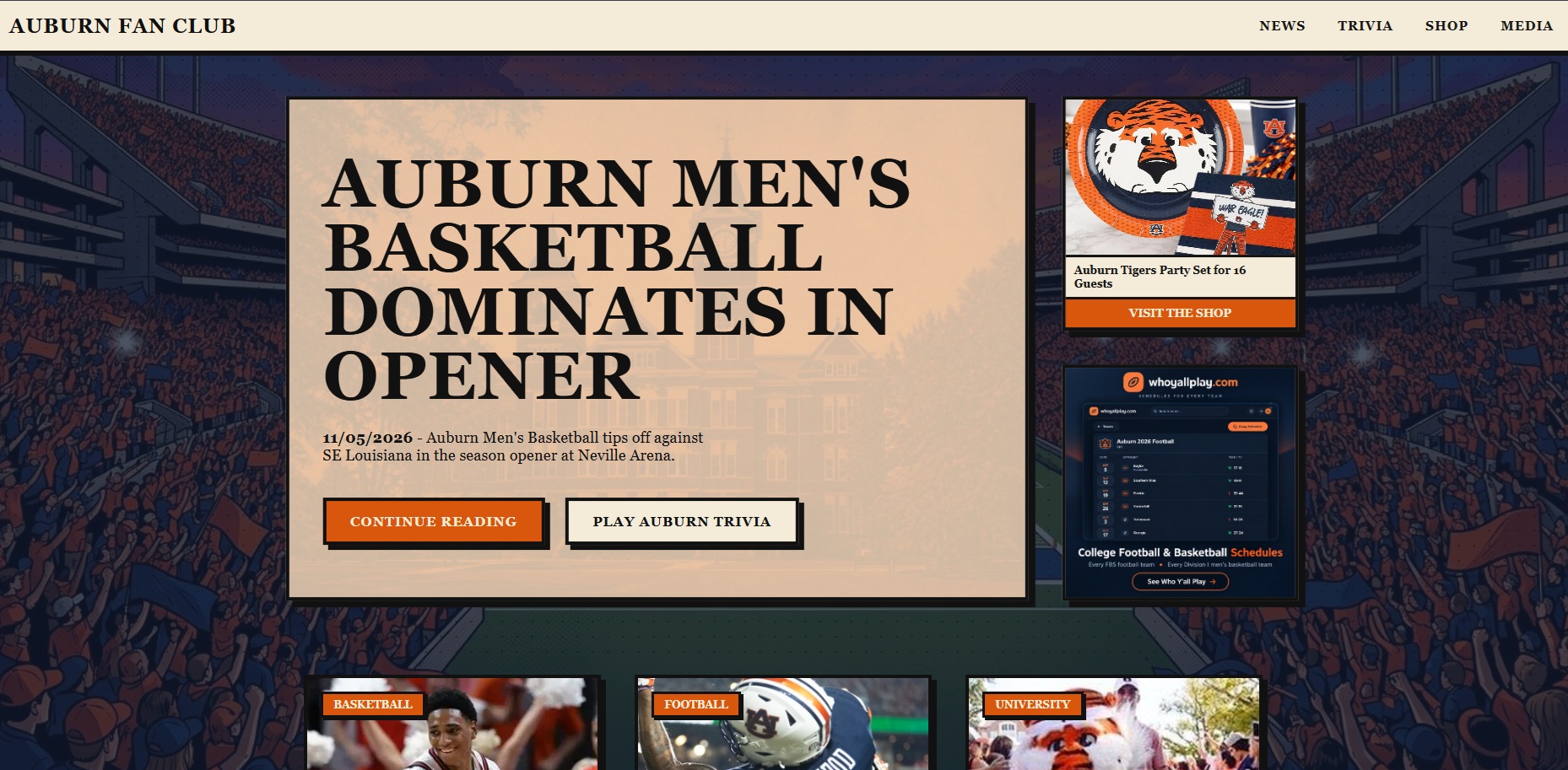
Auburn Fan Club
A sports news site built with a focus on clarity, structure, and performance.
Full description
A custom-built sports news site designed for speed, readability, and consistent content delivery. The layout emphasizes clean typography, structured categories, and a lightweight front-end that keeps the experience fast on any device. Every article is written and formatted to feel like a real sports publication, supported by a simple, efficient architecture that makes updates frictionless. This project demonstrates strong UI design instincts, thoughtful content organization, and a technically disciplined approach to building a modern, fan-focused news platform.
Visit auburnfanclub.com 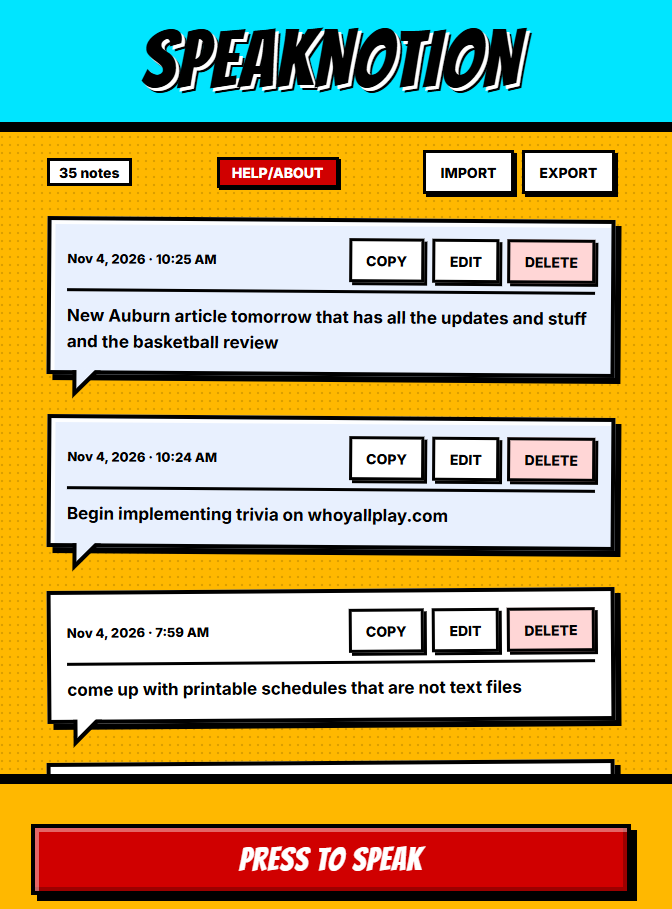
SpeakNotion
A privacy-focused voice dictation app that turns spoken thoughts into instantly saved notes.
Full description
SpeakNotion is a lightweight browser-based productivity tool designed for frictionless voice capture. Built around the Web Speech API, it converts spoken ideas into timestamped notes that are stored directly on the user's device, eliminating the need for accounts, cloud storage, or external services. Features include live speech transcription, continuous recording mode, note exporting, local persistence, and a mobile-friendly interface optimized for rapid thought capture. The project demonstrates strong client-side engineering, modern browser API integration, offline-first design principles, and a commitment to user privacy through fully local data storage.
Recent updates to SpeakNotion have expanded its capabilities from a simple capture utility into a more robust local note manager. Users can now seamlessly import and export their entire note history as structured JSON files, ensuring their data remains fully portable across devices. Additionally, the feed interface has been upgraded to support inline note management, allowing users to quickly copy, edit, or delete individual thoughts on the fly without ever leaving the application.
Visit speaknotion.com 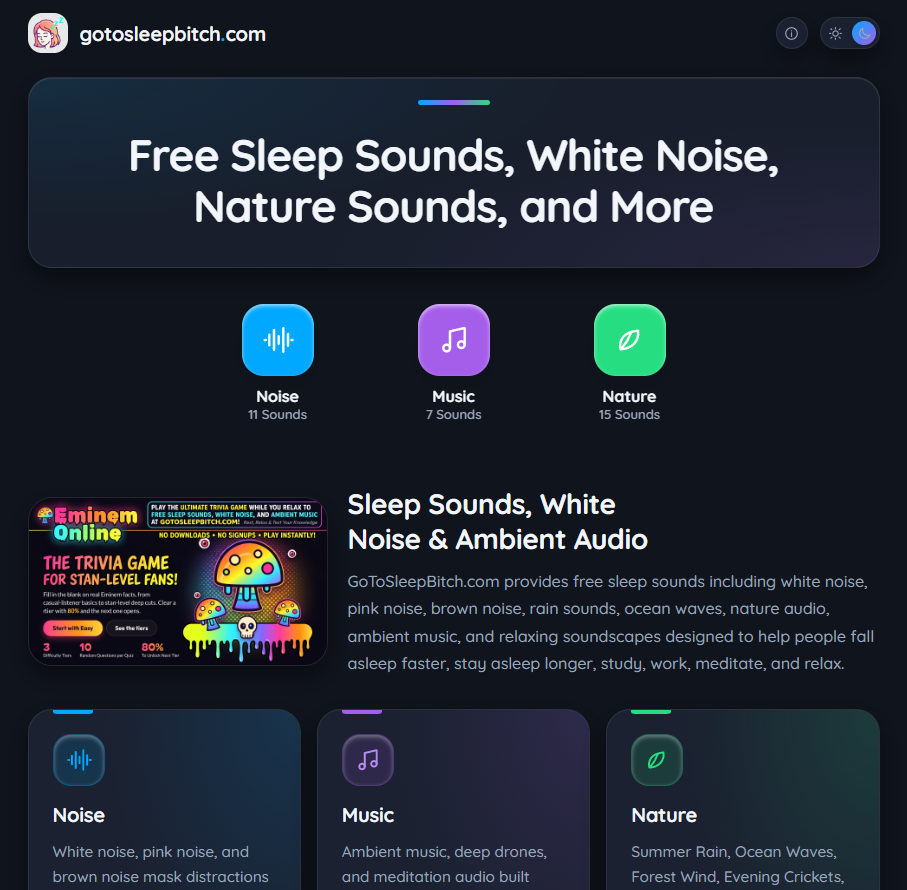
GTSB (gotosleepbitch.com)
Minimalist Ambient Soundscape Engine
Full description
GoToSleepBitch.com is a single-page ambient audio experience engineered for speed, simplicity, and zero-friction interaction. The site delivers soothing soundscapes through a clean, ultra-minimal interface that prioritizes immediate playback and user focus. Built with a lightweight front-end and intentional design restraint, it demonstrates strong UX instincts, efficient implementation, and a commitment to removing every barrier between the user and the calming audio they came for.
Visit gotosleepbitch.com 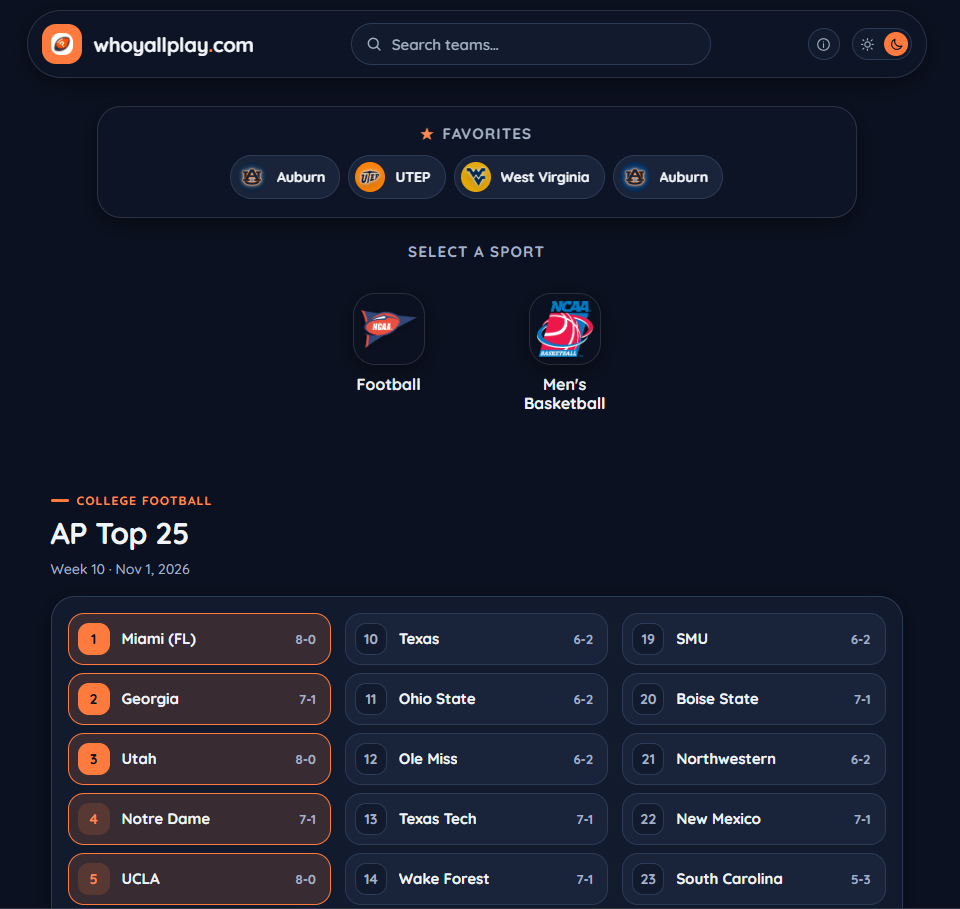
WhoYallPlay
A lightning-fast, static FBS college football schedule explorer.
Full description
A single-page sports web application built for immediate access to college football schedules. Bypassing heavy API rate limits, it relies on a local JSON data structure managed by highly optimized vanilla JavaScript to deliver instant filtering, sleek glassmorphic UI transitions, and native dark/light modes. The architecture guarantees zero load latency while maintaining a clean, app-like user experience.
In its latest iteration, the platform has expanded beyond the gridiron to include comprehensive Division I Men's College Basketball schedules alongside its core FBS football tracking. This dual-sport capability is powered by a newly implemented static path routing system, allowing users to seamlessly transition between sports without sacrificing the application's signature zero-latency performance. Additionally, a new favorites system leverages local storage, enabling fans to bookmark their preferred teams for instant, one-click access upon returning to the site.
Behind the scenes, the data architecture has been upgraded to utilize Python-based static JSON data generation, ensuring schedule updates remain reliable and completely independent of external API constraints. The user interface now incorporates fluid GSAP animations to elevate the clean, app-like design, while auto-generated sitemaps significantly improve search discoverability. True to its original vision, the platform remains a completely free, ad-free, and zero-bloat experience.
Visit whoyallplay.com 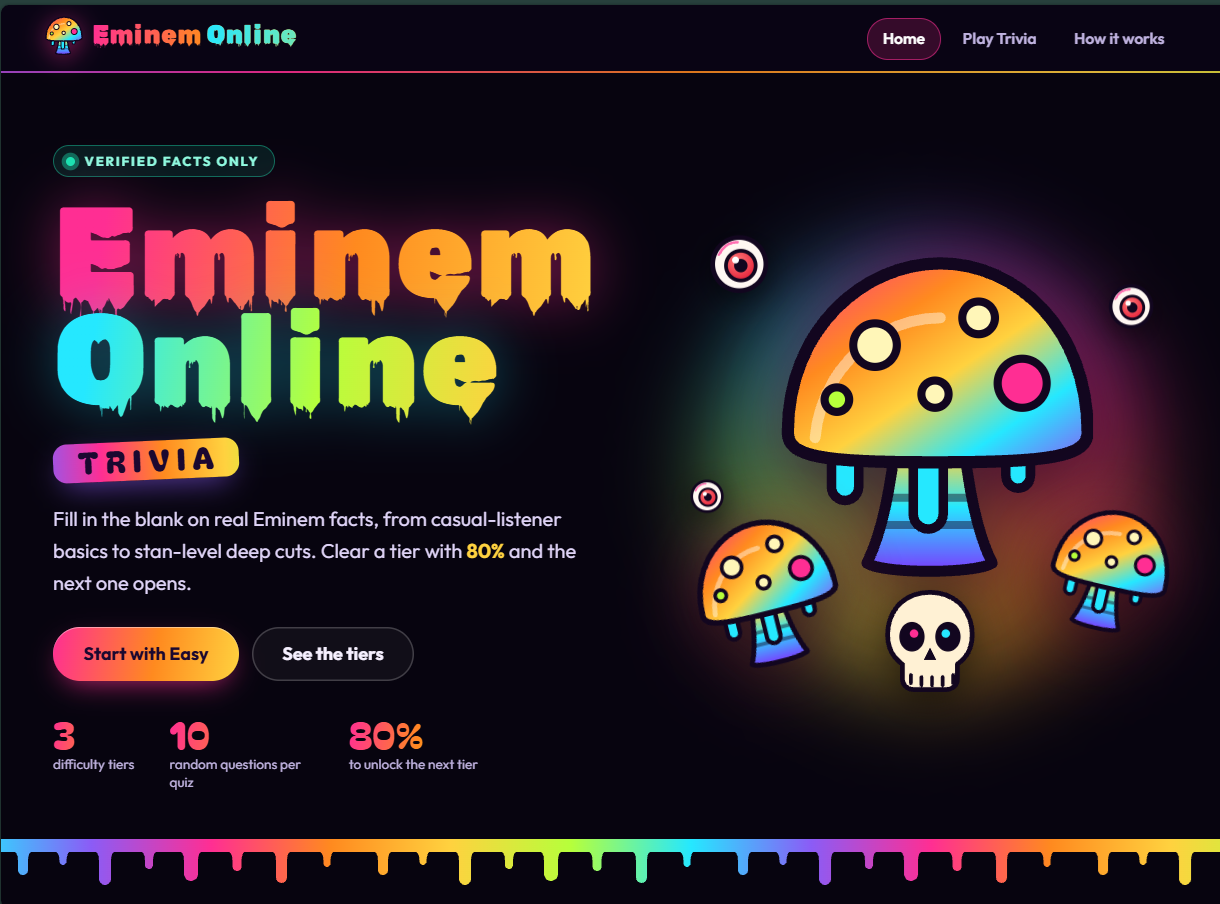
Eminem Online
EminemOnline.com is a custom-built fan trivia platform
Full description
EminemOnline.com is a fully custom interactive trivia experience built for fans of Eminem, combining game mechanics, performance-focused front-end development, and distinctive visual design into a polished browser-based application. The site features fact-checked trivia questions divided across Easy, Intermediate, and Hard difficulty tiers, with an unlock system that requires users to score 80% or higher before advancing. Each quiz session presents a randomized set of questions drawn from larger question pools, creating a replayable experience that remains engaging over multiple visits.
From a development perspective, the project demonstrates custom UI design, JavaScript-driven game logic, state management, responsive layouts, accessibility considerations, and a unique visual identity inspired by psychedelic artwork and Eminem's alter-ego themes. Every trivia question is based on verified information, and users receive immediate feedback and explanations after answering, transforming the site from a simple quiz into an educational fan resource. The result is a fast, lightweight web application that showcases front-end engineering, creative design, and user engagement techniques without relying on heavy frameworks or external dependencies.
Visit eminemonline.com 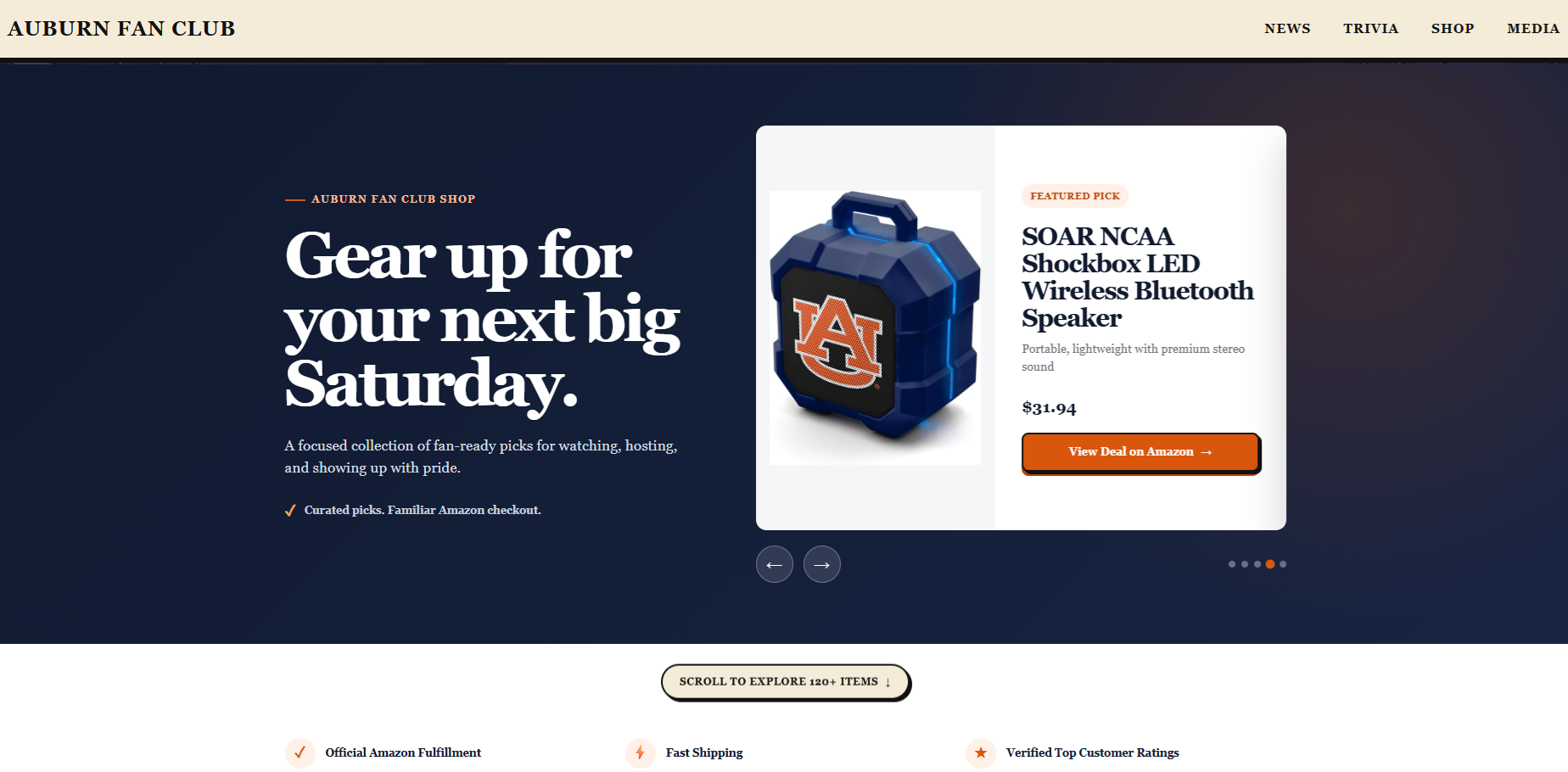
Auburn Fan Club Shop
A curated Auburn fan shop built as a clean, lightweight e-commerce experience.
Full description
A curated storefront designed to showcase Auburn-themed products through a clean, fast, and intuitive interface. The page is structured like a modern e-commerce gallery, with consistent product cards, clear visual hierarchy, and a layout optimized for quick browsing. Built as a portfolio demonstration of e-commerce design principles, it highlights my ability to create organized product grids, maintain visual consistency, and deliver a smooth shopping experience without relying on heavy frameworks or external libraries. It's a focused, efficient example of front-end e-commerce implementation. Items can be added quickly using the Product Hound browser plugin for chrome.
Visit auburnfanclub.com/shop 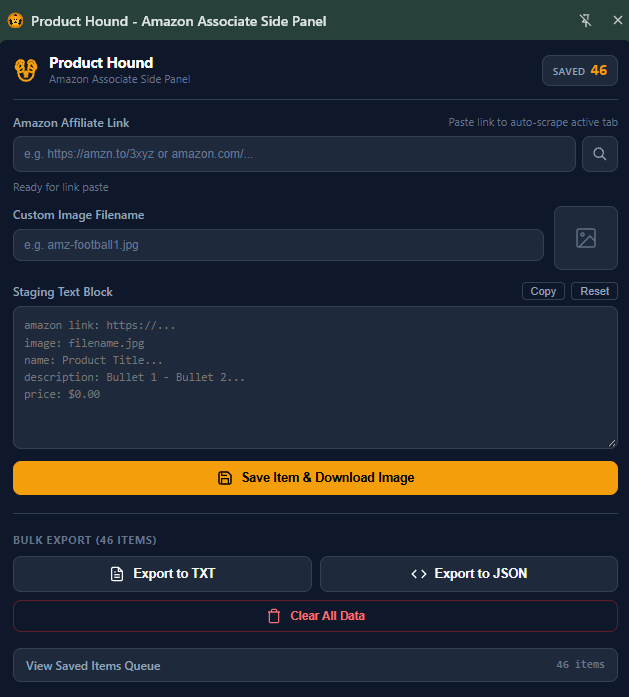
Product Hound
Streamline your affiliate marketing workflow with Product Hound, a dedicated side panel extension designed to save you time when sourcing Amazon products. Instead of manually copying and pasting product specs or downloading images one by one, Product Hound lets you auto-scrape details directly from your active tab just by pasting your affiliate link. It provides a clean, organized workspace to stage, review, and export your affiliate data in bulk directly from your browser.
Full description
The core feature of the extension revolves around its seamless data capture and staging capabilities. Simply paste your Amazon affiliate link into the top field, and the plugin automatically pulls the product's title, price, and description into a clean text block. You can also assign a custom image filename to ensure your downloaded photos are immediately organized and ready for your media library. Before saving, the staging text block allows you to review and edit the formatted product details, with quick options to copy the block to your clipboard or reset it to start over.
Once your details are staged perfectly, a single click of the "Save Item & Download Image" button instantly downloads the product photo to your machine while banking the text data. As you source multiple products, the built-in queue system keeps track of how many items you have saved during your session. When you are ready to move everything to your website, you can bulk export your entire list of saved items directly to TXT or JSON formats for rapid data entry, or use the clear data function to start a fresh batch.
View Product Hound in the plugin catalog 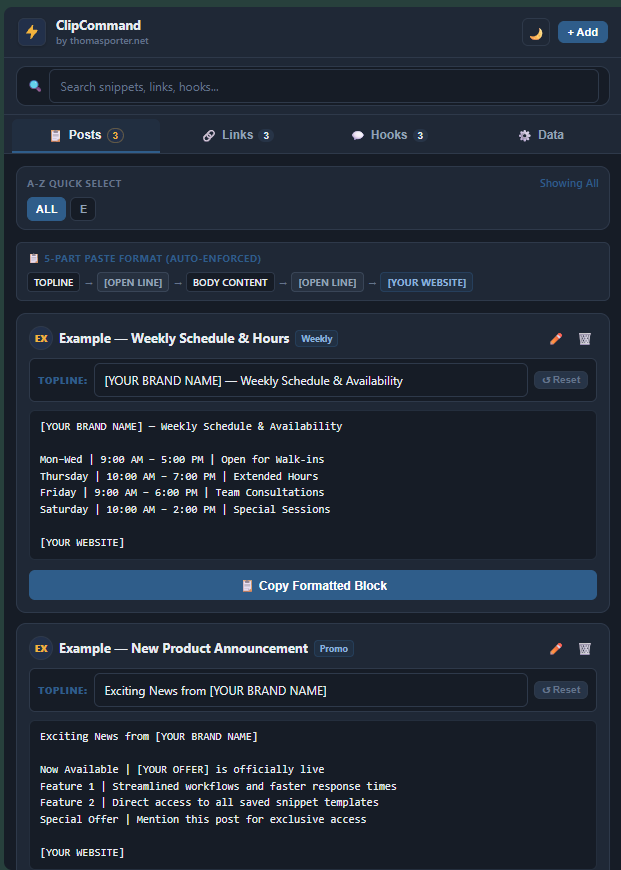
ClipCommand
ClipCommand is a comprehensive social marketing side panel extension designed to streamline the management and distribution of formatted social snippets. The plugin centralizes your promotional text blocks, allowing you to organize, search, and copy perfectly formatted content directly from your browser. It serves as a dedicated repository for your marketing assets, keeping your most frequently used promotional data readily accessible in a compact panel.
Full description
The extension features a robust organizational system divided into dedicated tabs for Schedules, Links, Hooks, and Data, keeping your content neatly categorized. ClipCommand utilizes an auto-enforced 5-part paste format that automatically structures your posts with a custom topline, schedule or link data, and your promotional URL separated by clean line breaks. Users can quickly type and edit the custom topline for each individual block, with a dedicated reset button available to quickly clear the input and adjust the messaging for different platforms.
Navigating large amounts of saved snippets is simplified through an integrated search bar and an A-Z quick select filter, allowing you to instantly isolate specific teams, opponents, or topics. Each saved snippet card includes quick-action edit and delete icons alongside a prominent "Copy Formatted Block" button that sends the fully structured text straight to your clipboard. The interface is further enhanced by a top navigation bar featuring an "Add" button to continually build your repository and a toggle to switch the panel's visual theme.
View ClipCommand in the plugin catalog 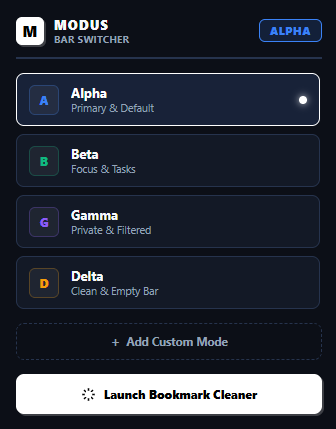
Modus Bookmark Bar
Modus Bookmark Bar is a dynamic browser extension designed to revolutionize how you organize and interact with your saved links. Instead of a single, cluttered row of URLs, this tool allows you to instantly toggle between distinct, context-aware bookmark profiles tailored to your current activity. By segmenting your digital workspace, it transforms your browser into a highly focused environment that adapts to your daily workflow.
Full description
The core of the extension is the Bar Switcher, which comes pre-configured with four distinct modes: Alpha for primary and default links, Beta for focus and tasks, Gamma for private and filtered browsing, and Delta for a completely clean and empty bar. If your workflow requires more specific categories, you can easily expand your options using the "+ Add Custom Mode" feature. This seamless mode-switching allows you to compartmentalize your online life, ensuring you only see the tools and links relevant to your immediate goals.
To assist with sorting your existing links, the extension includes a dedicated utility associated with screenshot-modusbar-cleaner.png. Opening in a distraction-free, full-size browser tab, the Modus Cleaner presents your links individually so you can rapidly route them to your Alpha, Beta, or Gamma modes, or choose to delete or skip them using quick keyboard shortcuts. Built for large collections, the cleaner features a top progress bar to track your sorting milestones and a "Save & Continue Later" button, allowing you to organize your bookmarks in manageable sessions.
View Modus Bookmark Bar in the plugin catalog In development
Coming soon
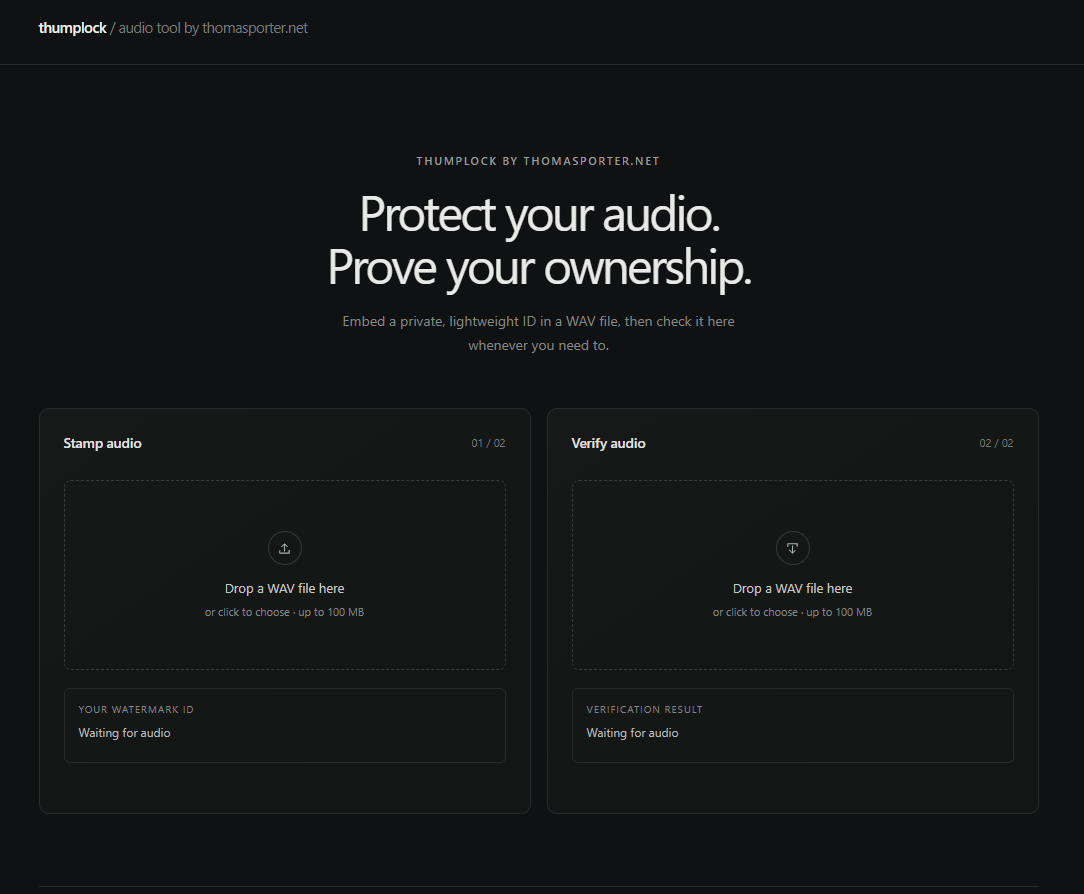
Thumplock Audio Watermark
A client-side audio watermarking engine for private ownership verification.